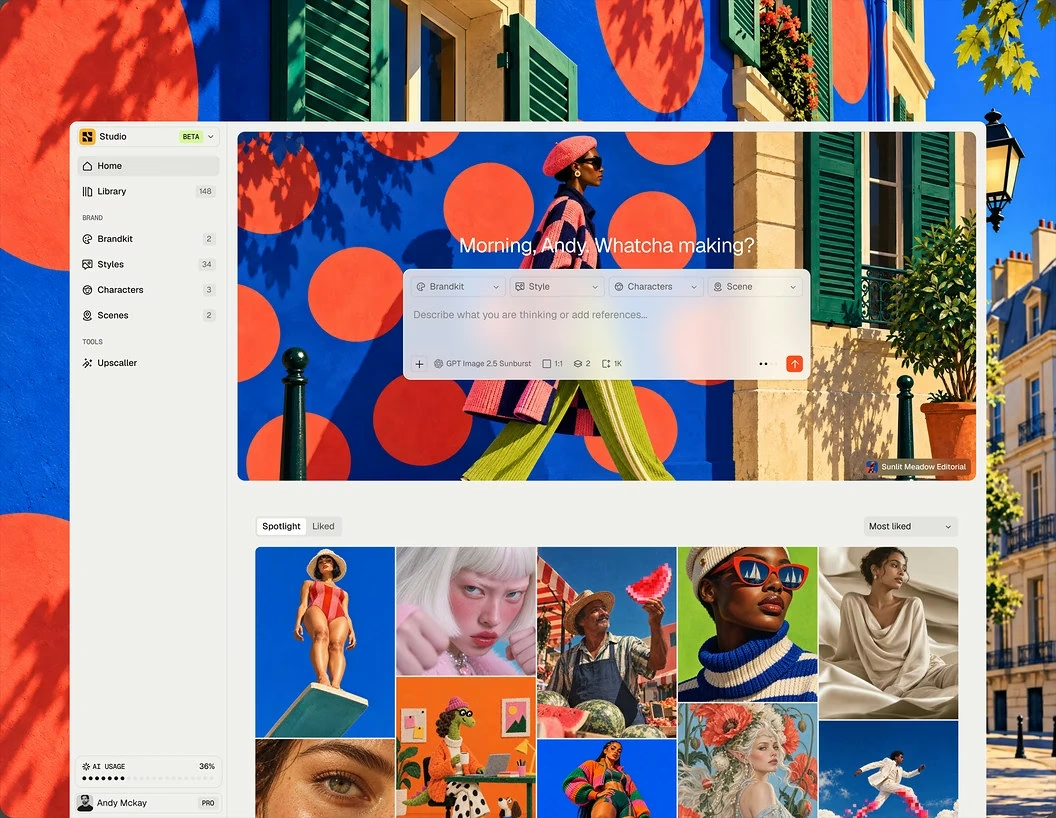
Relume Studio: Pitched as a prototype. Shipped as a product.
By Andrew McKay, Principal Product Designer
Studio keeps AI images on brand. I pitched it to Relume’s founders as a working prototype, designed the AI pipeline behind it and led it to launch. Relume’s research team put it in front of real users the week before launch; I fixed what blocked them that same week, and paying users arrived on day one, without any marketing.
- Role
- Principal designer, project lead
- Team
- Founder, backend developer, researcher
- Scope
- Prototype, AI pipeline, Product, Launch film
- Launched
- 21 Oct 2026 (Beta)
- Tested
- 12–15 Oct, moderated sessions
- 6 weeks: Live in production
- Day 1: First paid user
The same man asked for four times: his hair, clothes and face drift with each image, until he is someone else.
Problem
AI drifts. Brands can’t.
AI image tools drift: ask for the same person twice and you get two people. Fine for one-off art, broken for brand work, where a site or campaign needs the same people, look and places every time.
Relume’s sites were consistent by construction, assembled from one component system. The pictures inside them weren’t, so people left Relume to make them. Once Relume began publishing sites, every image made elsewhere was a reason to host the site elsewhere too.
Users leaving, to make the images: Relume built the site but not the pictures in it, so people left mid-build to make them, and the site often went too.
Pitch
A prototype in the room
When Relume’s new brand launched, one question kept coming back from users: “Why don’t my sites look as good as your demos?” I’d built those demos with my own workflow for making consistent image sets. So, mostly after hours, I turned that workflow into a tool that let people stay in Relume from the first page to the last image. A week later I pitched the founders a working prototype, wired to OpenAI’s image API and Google’s Nano Banana, for them to test.
They saved a style, made matching images with it, and said yes. I got a developer, and from there it was mine to run: the product, the brand, the testing and the launch.
Andy: @Dan @Designteam Been cooking! Got a fully working build for us to test: a new image gen product I made called Studio. Bring 3 images of the hardest photography or illustration style you can find and let’s take it for a spin
In the pitch: a live session, not a deck. The founders and designers brought their hardest images, and it held up to every one.
What the prototype taught the build
3 images max, seeding images: Reading references is costly, so styles went from eight seed images to three, and characters and scenes use one grid each.
AI writes, prompts and tagging: Writing prompts and tags left people stuck, and the output hung on it. Now the AI writes them; people review and approve.
No picker, tuned, not picked: The prototype made people pick an image model first. The build picks for them, prompts tuned to each, so nobody has to.
Dan: Awesome work! Let’s get you on this full time and get this out live. I’ve assigned Sam to help you with the backend, let’s get this live in 6 weeks after MCP
Andy: F#$K yeah! 6 weeks damn, consider it done
Build
Three things models forget
With the go-ahead, Sam and I rebuilt Studio in two weeks: a clean build in place of the prototype’s after-hours spaghetti, shaped around the three things image models lose. How a brand looks, who’s in it and where it happens became styles, characters and scenes, each saved once and reused in every image: context sent with every request, so “Lee lounging around” comes back as Lee, in that look, in that room.
In testing, nobody needed the idea explained. Every tester understood styles, characters and scenes on first use, including a travel advisor who had never opened Relume. A power user already knew the controls from Publish, and a designer called it clearer than Midjourney: an actual style, not a string of IDs.
Drop in three images you love and Studio learns the look on its own: the light, grain, palette and lens they share. Never the person in them, so every image is new.
Send one everyday photo from a client and Studio builds the whole person: three views and six expressions in one outfit, so they come back as themselves in every shot.
Paste one Google Maps photo and Studio rebuilds the room as a set to shoot in: people and clutter gone, the walls, windows and furniture held in every view.
Create
Steer it, then confirm
Every reference is made the same way, and styles show it best. You add up to three images that share a look and say, in plain words, what you like about them. Studio blends them into one style, using them as inspiration, not a blueprint. The first build asked for three photos per character and four per scene; in testing, people uploaded the same photo three times to get past the form, so before launch one became enough.
Then Studio’s AI reads the set and shows its read before it acts: a name, a description of the look, a category, and the exclusions that protect it. Nothing is generated until a person confirms or edits the read, and that confirmed read becomes the prompt behind every image after it.
Add references, then say what you like about them.
Agent UX: the AI shows its read before it acts, then waits for a yes.
Compose
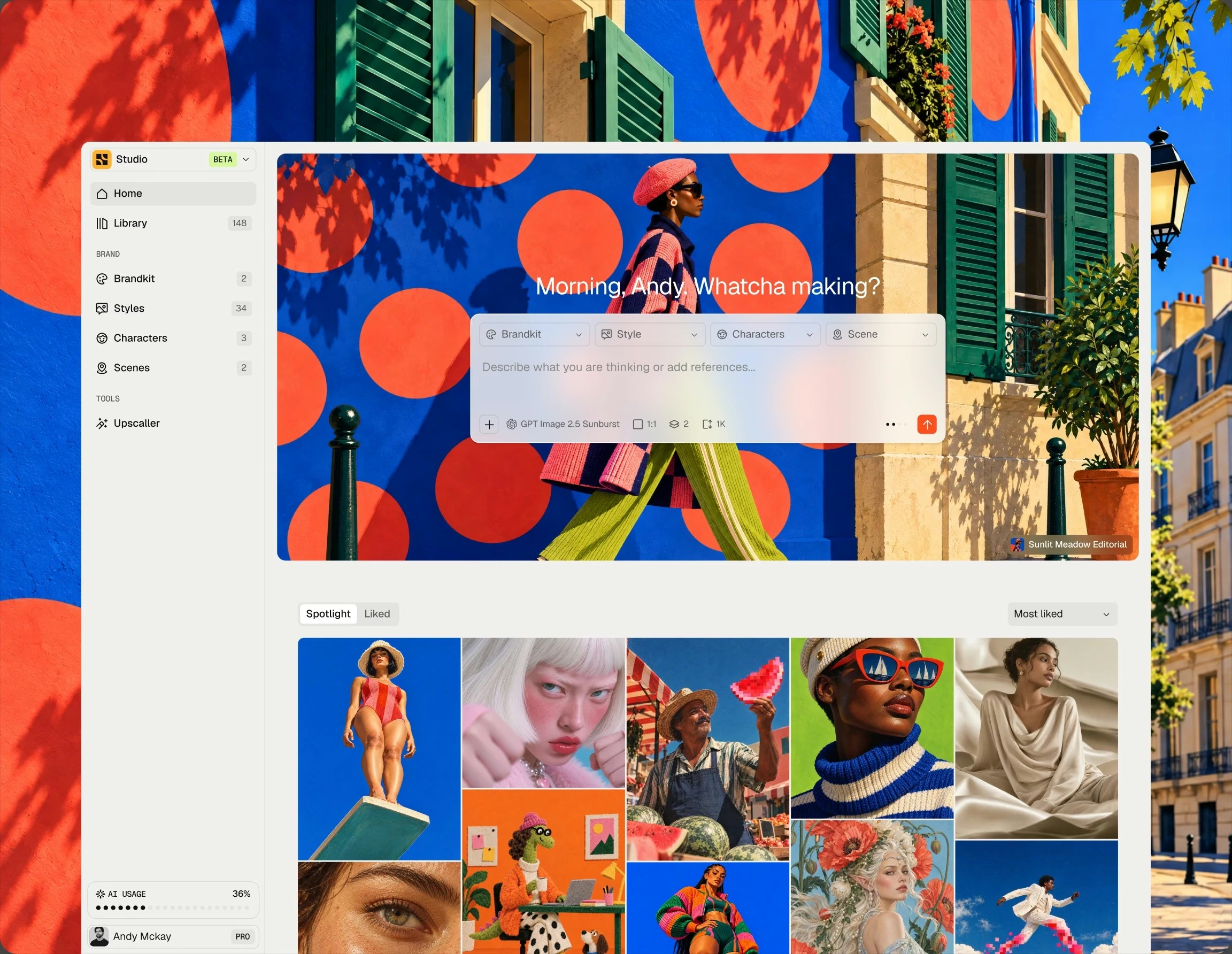
Everything in one composer
Making an image is one line and a few choices. The composer holds every saved piece (a brandkit, a style, the characters and a scene), picked from the bar above the prompt instead of described in it. Each part goes into the request on its own, under rules written to outrank the prompt, so a style never brings a face with it and a scene never brings its clutter.
The composer on Home, with Electric Knit picked from the style menu.
Pipeline
The full pipeline
Behind the composer is a pipeline of model calls I designed end to end, and every prompt in it is mine: scans that read references, photos and websites; guards against prompt injection, so text inside a reference is read as content, not as instructions; and a composer that builds each request from only the parts a person chose.
This is the full pipeline, live. Pick who it’s for to follow their route, and open any step to read the real prompt behind it.
Discover
Never a blank prompt
Most people can point at a look long before they can describe it, so Studio opens on styles, not an empty box. You can browse community styles that other people built and made public, pick from collections I curated, from Lifestyle to Professional, or start from your own, and test any of them before you commit.
Styles: the community’s, my collections, and your own.
Community
Profiles in half a day
We went community-first. Every public style has a maker, so I gave each one a public profile with their styles, their images and the saves and likes they’ve earned. It’s a growth loop: a reason to make styles worth sharing, and a page to send people to. It took me under half a day to design and build.
Andy: @product_studio Public profiles are live. Every community style now links back to its maker, and their page fills itself with their spotlight images
A creator’s public profile.
Pricing
A free way to start
Testers worried about burning usage mid-flow, and I hit the wall myself: on a Pro plan I ran out in my first half hour. Upscaling was something people wanted and one of the costliest things to run, so I dug into the options and found we could run it on Cloudflare for free.
That turned a cost into the free plan’s hook. Anyone can drop in up to 50 client images and upscale them all at 2x or 4x, so there’s something to play with and a reason to come back, Pro or not. For anyone who runs out, I proposed one-off top-ups instead of a plan far pricier than people expect from an image tool.
Andy: @Dan Dug into upscaling costs, since @Warner flagged it as the thing testers kept asking for. On Cloudflare it costs us nothing to run, so we can give it away on the free plan as the way in
Upscaling a whole shoot at once, free on every plan.
Flagship
The flagship we held back
Brandkits were meant to wrap it all into one: a brand’s style, its people, its places and the rules for using them. There were two ways in. Paste a website and Studio reads it for you, from the logo in the navigation to the colours, fonts and the most likely owners, which is what resonated with founders. Or assemble one from styles, characters and scenes you’ve already made, which is what designers building something new wanted.
It was also the hardest piece to make reliable, so I cut it from launch to ship styles, characters and scenes polished rather than five things half done. Testing made the case for kits: a rental owner said building styles by hand would hurt his business. So they became the first follow-up.
Paste one link and Studio builds the whole kit, with a guide to using it all.
The kit’s Brand tab: the colours, logos, favicon and type it read off the site.
Launch
A launch film in six hours
We decided late to launch, and at 4pm Dan asked for a film he could post the next morning. In After Effects, that’s a no. Claude Motion had just landed in beta, so I paired it with my years as an animator: I directed, and an agent built the film in Remotion as code, kinetic type over Studio’s own interface, with ElevenLabs scoring the track and sound effects to land on every beat.
Dan: @Andy we’re pulling the trigger on launch. Any chance you could put a quick video together for me to post on LinkedIn tomorrow morning?
Andy: @product_studio Launch video is good to go @Dan
Studio’s own interface, set in motion and cut to the music.
Result
Paid for before it was announced
Studio went live on 21 Oct, six days after the last test session, with the problem most testers hit already gone: six of the seventeen findings fixed by launch and four more committed to. We soft-launched it to Pro users behind a dropdown they had to stumble on. Two paid on the first day and six by the end of the week, with no marketing at all.
It moved that fast because designing it and building it were one job. I prototyped against the real models instead of mocking them, designed the model pipeline and wrote every prompt in it, put it in front of real users and fixed what blocked them that week, then made the launch film the night we chose to ship.
Andy works like a founder. He’s shaped the Relume experience for three years, and Relume Studio, our AI image product, was entirely his idea. He pitched it with a prototype he vibe-coded himself and carried it from concept to launch on his own. That kind of ownership is rare. We hand Andy a blank page because we know he’ll come back with something real.